
Features
Everything A11yAudit does
Everything from finding your pages to signing your record, in one place.
Discovery and scanning
Find it all, then test it
You can't fix what you never found. A11yAudit inventories your site and documents first, then tests every part with the engine that fits.
Site crawling
Start from your verified domain and A11yAudit inventories the pages and documents it finds, following robots.txt. It tells you plainly when your site is bigger than a scan covers.
Web page scanning
Pages are tested in a real headless browser with axe-core, so the check sees the page your visitors get. A check passes only when the engine actually evaluated it.
PDF/UA verification
PDFs are checked against PDF/UA, the accessibility standard for PDF files, using veraPDF. Checks the standard leaves to a person, such as reading order, come to you, and scanned image-only PDFs are flagged.
Word, Excel, and PowerPoint
Modern Office files are checked for titles, language, headings, alt text, and table headers. Older formats, ePub, audio, and video get manual-review checklists, listed in your record rather than skipped.
Mobile apps
List your organization's mobile apps so they're included in your site evaluation. No automated scanner can judge a native app, so this one is manual by design.
Vendor platforms
Add the vendor sites you rely on, such as agendas, permits and payments, and they're scanned with yours. You'll also see which third-party services your pages link to or embed.
Guided manual review
The part tools skip
Automated checks provide evidence on 16 of the 55 Level A and AA criteria, and even those need a person to finish the job. A11yAudit guides your team through the rest instead of pretending it isn't there.
Nothing is auto-passed
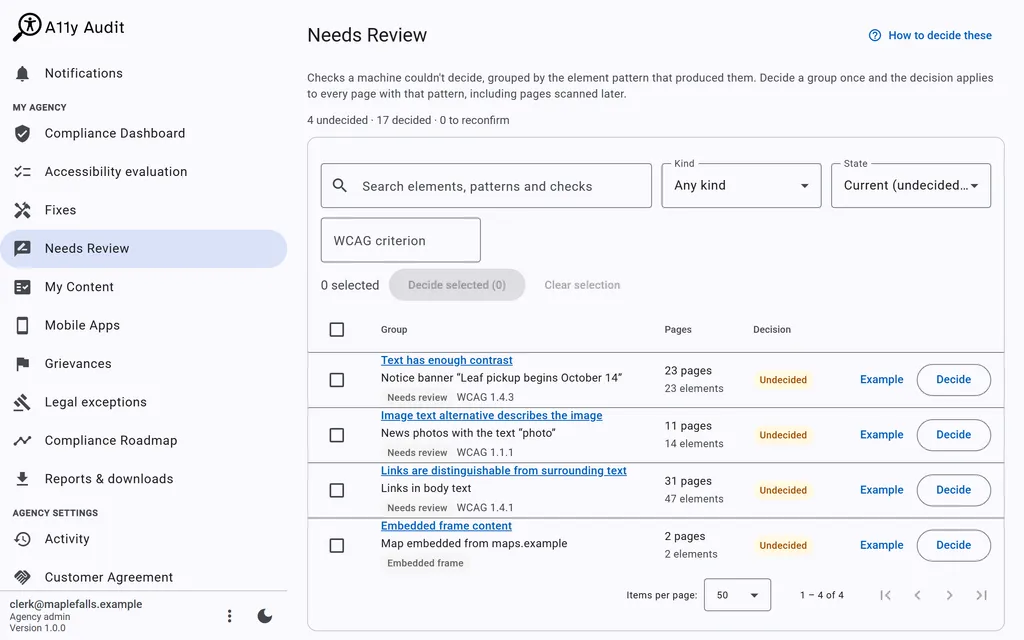
Checks no engine can decide are marked as needing manual review rather than backfilled as passes. A machine pass alone never makes a criterion conformant.
Decide each pattern once
Findings that repeat a pattern are grouped, so your team decides each once — an issue, or not an issue with a note — instead of page by page. Decisions carry over.
A guided WCAG-EM site evaluation
Follow the W3C's evaluation method in five steps: scope, explore, sample, audit, and report. Every criterion has a guided test showing what to check and what passing looks like.
Fixes and tracking
From found to fixed
A list of problems isn't progress. A11yAudit orders the work, tracks it, and accepts only evidence that it is done.
Prioritized fixes
Every fix is ranked from P1 (fix first) to P4, with the reasons shown. Within each band, fixes that help the most people for the least work come first.
Fix once in your template
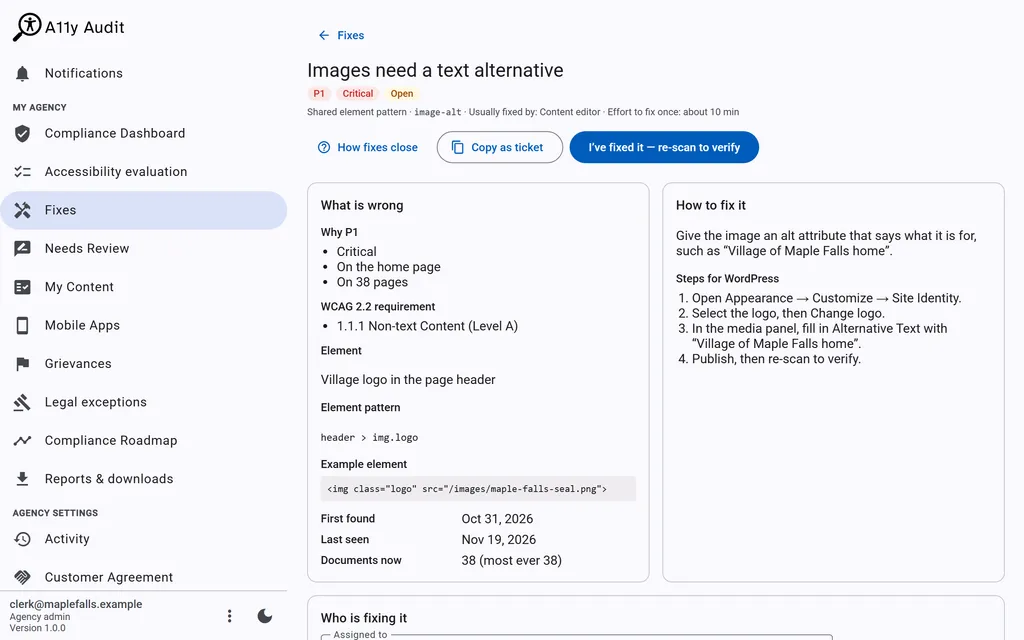
When the same problem appears on the same element across many pages, it's listed as one template fix, so you fix it once, in your theme.
Only the evidence closes a fix
Assign fixes, set due dates, and comment. There's no “mark as fixed” button: a re-scan verifies each change, and a fix that comes back reopens with its history.
CMS-specific fix guidance
Fix steps written for the system you actually run — WordPress, CivicPlus, Granicus, Squarespace, or hand-written HTML — instead of generic advice your team has to translate first.
Dashboard and roadmap
See where you stand, what's left before you can sign, and a phased plan with the next action, clear enough for the people who approve the budget.
Handing work to a vendor
Copy any fix as a ticket with the problem, element, WCAG requirement, pages, and how to fix it, or download the list as CSV. Your vendor needs no login.
Evidence and reporting
A record that survives scrutiny
Records that hold up when someone checks: a regulator, a resident, or your own board.
Signed site evaluation records
When your evaluation is complete, an agency admin signs it. The record states each criterion's result with remarks, and says on its face that it's your own self-assessment.
Accessibility conformance report
An Accessibility Conformance Report (ACR) in the ITI VPAT® 2.5Rev WCAG edition, the format procurement offices ask for, created from your signed record. Before signing, download a watermarked draft.
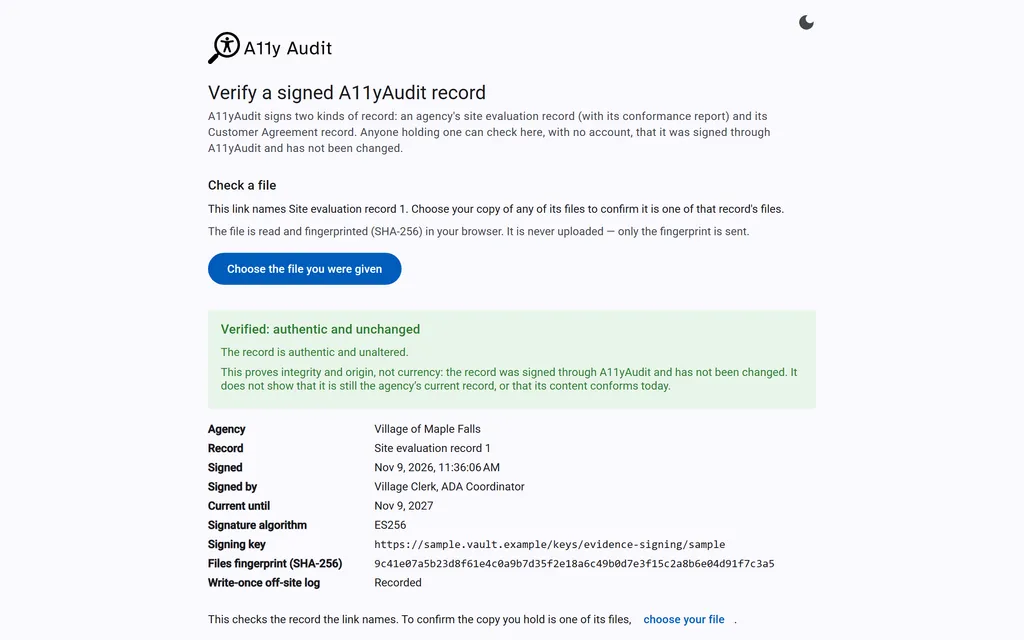
Verifiable without an account
The signature covers the exact bytes of every file. Anyone holding a record can check it on our public verification page, or offline with our published keys and script.
Reports and exports
A board-ready summary PDF, findings and fixes as CSV, and a full copy of your data as a ZIP whenever you want it. Every PDF we generate is itself tagged for accessibility.
Activity log
Team changes, exception declarations, signing, and other significant actions are recorded with who did them and when, so the history holds up after memories fade.
For local governments
The public-facing side
ADA Title II asks for more than a clean scan. These are the parts your residents, your ADA coordinator, and your legal team actually touch.
Hosted accessibility statement
A public statement following the W3C's recommended elements: your status from your current signed evaluation (or “not assessed”), known limitations, how to give feedback, and your coordinator's contact.
Grievance inbox
A public form for residents to report a barrier, with a reference number and private status link. Reports land in your inbox, answered against a response target you choose.
Governance and exceptions
The awkward cases, on the record
Real compliance has exceptions. What matters is that each one is a documented decision, not a gap someone hopes nobody notices.
Deadline tracking
A11yAudit works out which rules apply to you — ADA Title II by population, Section 504 by employee count, or both — and tracks your site against the date that binds first.
Legal exceptions, document by document
An agency admin declares archived content, pre-existing documents, and third-party content, one document at a time. Each lapses when the evidence stops supporting it; active ones join your signed record.
Undue burden determinations
Record an undue burden or fundamental alteration determination with its reasons, the resources considered, and other actions taken — a private record you can produce on request.
Platform and integrations
For your team and your systems
Roles, sign-in, notifications, and an API.
Roles and security
Agency admins (your organization's administrators), members and read-only viewers; two-step sign-in or single sign-on through your own identity provider; and each organization's data kept separate. See our security page.
Notifications
In-app and email notifications you can tune by category — approaching deadlines, incoming grievances, scan results and failures, and fixes — plus a weekly compliance digest.
REST API
Scoped API keys and a published API reference let your own systems pull scan results, findings, and status, or start scans, without a person exporting a spreadsheet.
What A11yAudit doesn't do
A11yAudit does not certify compliance or give legal advice, and a signed record is your organization's self-assessment, not an independent audit. You can read the full breakdown, criterion by criterion, on the WCAG coverage page. We'd rather you see that before you sign up than after.
See it against your own site
Sign up and point A11yAudit at your site. It crawls your pages and PDFs, shows you what it found against WCAG 2.2 Level AA, and is straight with you about what still needs a human and what it didn't reach.